


ASUS ProArt Display PA248QV Professional Monitor, 24.1″ IPS, WUXGA 1920 × 1200, 16:10, 75Hz, 100% sRGB and Rec.709, Calman Verified, ProArt Preset, Ergonomic Stand | 90LM05K1-B01370
ASUS ProArt Display PA248QV Professional Monitor, 24.1″ IPS, WUXGA 1920 × 1200, 16:10, 75Hz, 100% sRGB and Rec.709, Calman Verified, ProArt Preset, Ergonomic Stand | 90LM05K1-B01370
Key Features:
- 24.1″ WUXGA IPS Display
- 100% sRGB and Rec.709 Coverage
- Calman Verified Factory Calibration
- ProArt Preset and ProArt Palette
- 75Hz with Adaptive-Sync
- Four-Way Adjustable Stand
- Three Video Inputs and a Four-Port USB Hub
- Anti-Glare Surface
 1,099.00


ASUS ProArt Display PA248QV Professional Monitor, 24.1″ IPS, WUXGA 1920 × 1200, 16:10, 75Hz, 100% sRGB and Rec.709, Calman Verified, ProArt Preset, Ergonomic Stand | 90LM05K1-B01370
The ASUS ProArt Display PA248QV gives photographers, designers, and video editors a factory-calibrated screen with 100% sRGB and 100% Rec.709 coverage. Its 24.1-inch IPS panel has a 16:10 aspect ratio, giving you 120 more vertical pixels than a 1920 × 1080 display at the same width. That extra room is useful when a toolbar sits above a photograph or a timeline sits below a video preview. Switch between sRGB and Rec.709 using ProArt Preset, raise the screen by up to 130mm, or pivot it into portrait orientation to review a full-page layout.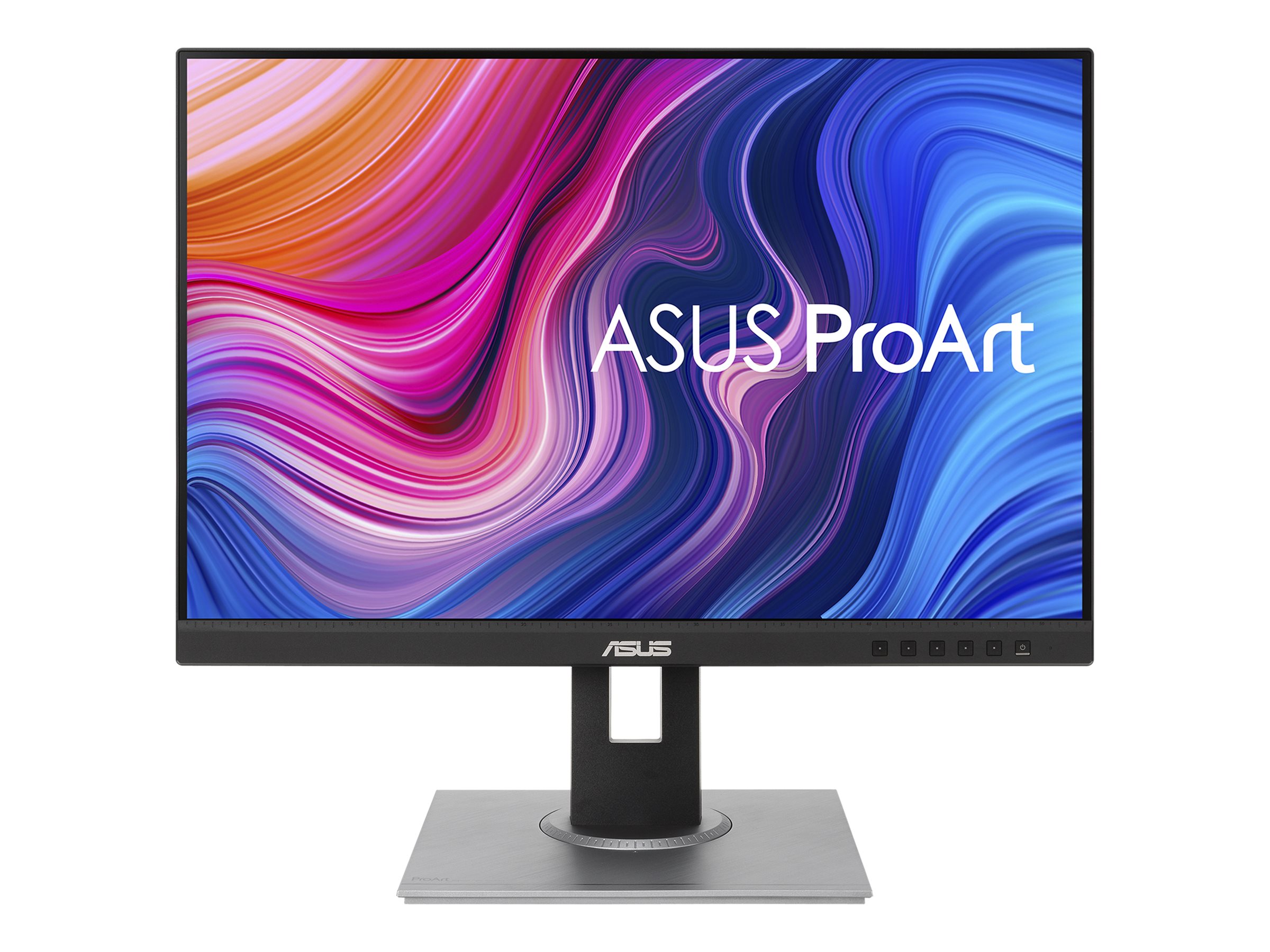

Key Features
- 24.1″ WUXGA IPS Display: The 1920 × 1200 panel provides extra vertical space for editing tools, document pages, and spreadsheet rows.
- 100% sRGB and Rec.709 Coverage: Select a colour mode suited to web graphics, photography, or standard dynamic range video.
- Calman Verified Factory Calibration: ASUS calibrates the display to a colour accuracy rating of Delta E below 2.
- ProArt Preset and ProArt Palette: Switch between preset modes or fine-tune gamma, colour temperature, and individual colour channels.
- 75Hz with Adaptive-Sync: A compatible graphics source can match the display’s refresh rate to its output within the 48–75Hz range.
- Four-Way Adjustable Stand: Set the height, tilt, and swivel, or rotate the screen 90° in either direction for portrait work.
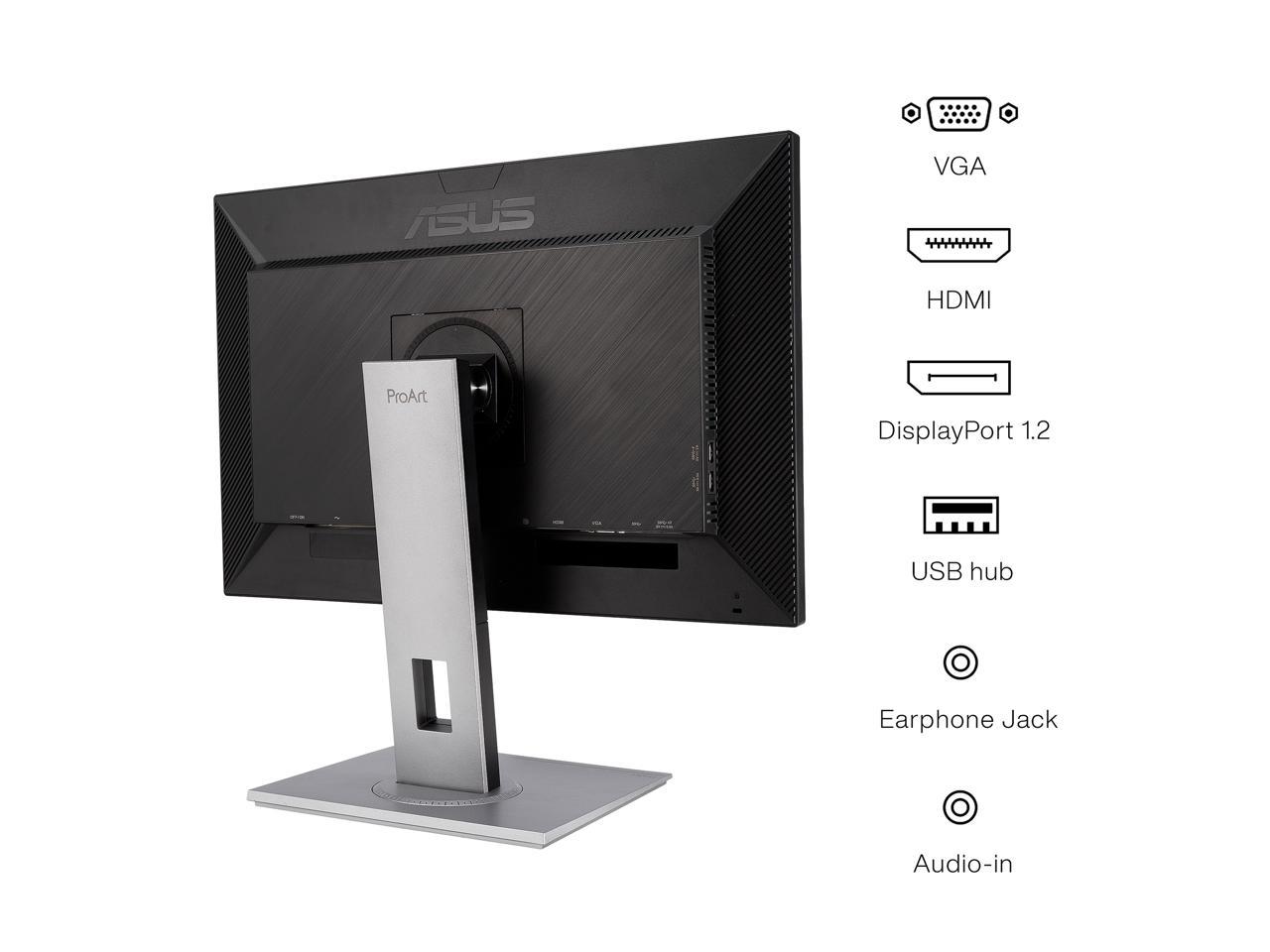
- Three Video Inputs and a Four-Port USB Hub: Connect modern and older computers and keep frequently used USB peripherals within reach.
- Anti-Glare Surface: The matte finish softens reflections from nearby lighting. Flicker-free operation and low blue light settings are also available.
Technical Specifications (At a Glance)
- Brand and Model: ASUS ProArt Display PA248QV
- Part Number: 90LM05K1-B01370
- Panel: 24.1-inch IPS with LED backlight and anti-glare finish
- Native Resolution: WUXGA, 1920 × 1200 pixels
- Aspect Ratio: 16:10
- Pixel Density: 94 pixels per inch
- Maximum Refresh Rate: 75Hz
- Adaptive-Sync Range: 48–75Hz
- Response Time: 5ms grey-to-grey
- Typical Brightness and Contrast: 300cd/m² and 1000:1
- Colour Coverage: 100% sRGB and 100% Rec.709
- Colour Accuracy: Factory calibrated, Calman Verified, Delta E < 2
- Display Colours: 16.7 million
- Viewing Angles: 178° horizontal and 178° vertical
- Video Inputs: DisplayPort 1.2, HDMI, and D-sub (VGA)
- USB Hub: One USB Type-B upstream port and four USB 3.2 Gen 1 Type-A downstream ports
- Audio Connections: Audio input and earphone jack
- Stand Adjustments: 130mm height range, −5° to +35° tilt, ±90° swivel, and ±90° pivot
- VESA Mount: 100 × 100mm
- Weight: Approximately 6.1kg with stand or 3.9kg without stand
16:10 Workspace for Editing and Layout
The 1920 × 1200 resolution provides about 11% more vertical workspace than Full HD. In a photo editor, that can leave more of the image visible beneath the menu bar. In a spreadsheet, it lets you see additional rows at the same zoom level. For portrait photographs or page proofs, rotate the panel and select portrait orientation in your computer’s display settings.
Factory Calibration for sRGB and Rec.709 Work
Colour coverage describes the range a display can reproduce. Colour accuracy describes how closely the displayed colours match their targets. The PA248QV addresses both with full sRGB and Rec.709 coverage and a factory calibration rating of Delta E below 2. Choose sRGB when preparing website images or product photographs, and Rec.709 when reviewing SDR video intended for that standard.
ProArt Preset, ProArt Palette and QuickFit
ProArt Preset makes it easy to change colour modes between projects. For a custom setup, ProArt Palette provides six-axis colour adjustment and gamma settings from 1.8 to 2.6. QuickFit adds on-screen rulers, alignment grids, and paper-size guides for checking the placement and scale of elements in a layout.
Display Connections and Desktop USB Hub
Use DisplayPort or HDMI for a digital connection to your workstation. The VGA input is useful when an older office computer shares the same desk. To use the monitor’s four USB-A ports, also connect the USB-B upstream port to your computer. You can then plug in a keyboard, mouse, or card reader at the monitor while the video cable carries the picture separately.
Ergonomic Stand and Portrait Viewing
The stand raises the screen through a 130mm range. Tilt it for your seated position or swivel it towards a colleague reviewing an image beside you. The panel pivots in either direction, so a portrait display can sit on the left or right of a second screen. For an arm-mounted setup, use the 100 × 100mm VESA mounting pattern.
Ideal For
- Photographers: Review and edit images for sRGB websites, portfolios, and product listings.
- Video Editors: Check Rec.709 SDR footage with space below the preview for a timeline.
- Graphic Designers: Use factory-calibrated colour and QuickFit guides for web assets and page layouts.
- Developers and Document Editors: Turn the screen vertically to view longer sections of code, documents, or proofs.
Benefits of ASUS ProArt Display PA248QV
- Keep more of a photograph or document visible when editing tools are open.
- Move between web and SDR video projects using dedicated colour presets.
- Review landscape and portrait work on the supplied stand.
- Connect USB accessories at desk level instead of reaching behind a workstation.
Important Product Information
- Part number 90LM05K1-B01370 identifies the listed ASUS ProArt Display PA248QV configuration.
- For the native picture, select 1920 × 1200 in your computer’s display settings. Select up to 75Hz when supported by the source and connection.
- The published colour coverage applies to sRGB and Rec.709. For colour-sensitive work, match the display preset and application colour settings to the project.
- The USB hub requires an upstream data connection to the computer. DisplayPort, HDMI, and VGA are the video inputs.
Why Choose ASUS ProArt Display PA248QV?
The PA248QV suits a creative desk where colour accuracy and usable screen height matter. A photographer can edit a portrait vertically, return to landscape to lay out a product page, and switch to Rec.709 for an accompanying video. The stand and colour presets support all three tasks on the same display.
Why Buy from IT Splendid UAE?
At IT Splendid UAE, explore professional monitors, display cables, monitor arms, and accessories for creative workstations.
- Professional Display Selection: Compare monitors by resolution, aspect ratio, colour coverage, and factory calibration.
- Workstation Compatibility: Match the display inputs, USB hub, and VESA mount to your existing setup.
- Convenient Online Shopping: Use part number 90LM05K1-B01370 to identify this 24.1-inch model.
- UAE Delivery: Explore delivery options across Dubai, Abu Dhabi, Sharjah, Ajman, Ras Al Khaimah, Fujairah, and Umm Al Quwain, subject to availability.
Complete Your Workspace with the ASUS ProArt Display PA248QV
Shop the ASUS ProArt Display PA248QV 24.1″ WUXGA IPS Professional Monitor – 90LM05K1-B01370 at IT Splendid UAE. Choose it for factory-calibrated sRGB and Rec.709 colour, a taller 16:10 workspace, and a stand that adapts to landscape or portrait projects.
Your Question
-

Free Delivery
For all orders over AED 499
-

Cash On Delivery
For All Over Country
-

Express Delivery
Within 24 Hours
-

7 Days Free Returns
If goods have problems


- Choosing a selection results in a full page refresh.
- Opens in a new window.