


MAXHUB WT13-M Wireless Screen Sharing Dongle | 4K 30Hz | Wi-Fi 6 & Bluetooth 5.2 | NFC & Touch Back | USB-C | WT13M
MAXHUB WT13-M Wireless Screen Sharing Dongle | 4K 30Hz | Wi-Fi 6 & Bluetooth 5.2 | NFC & Touch Back | USB-C | WT13M
Key Features:
- 4K Wireless Screen Sharing
- 5-Second Rapid Pairing
- BYOM Support
- Wi-Fi 6 Connectivity
- Bluetooth 5.2
- NFC One-Touch Connection
- Touch Back Support
- Multi-Device Sharing
- USB Type-C Interface
- USB Type-A Compatibility
- Compact Design
 649.00
649.00
649.00


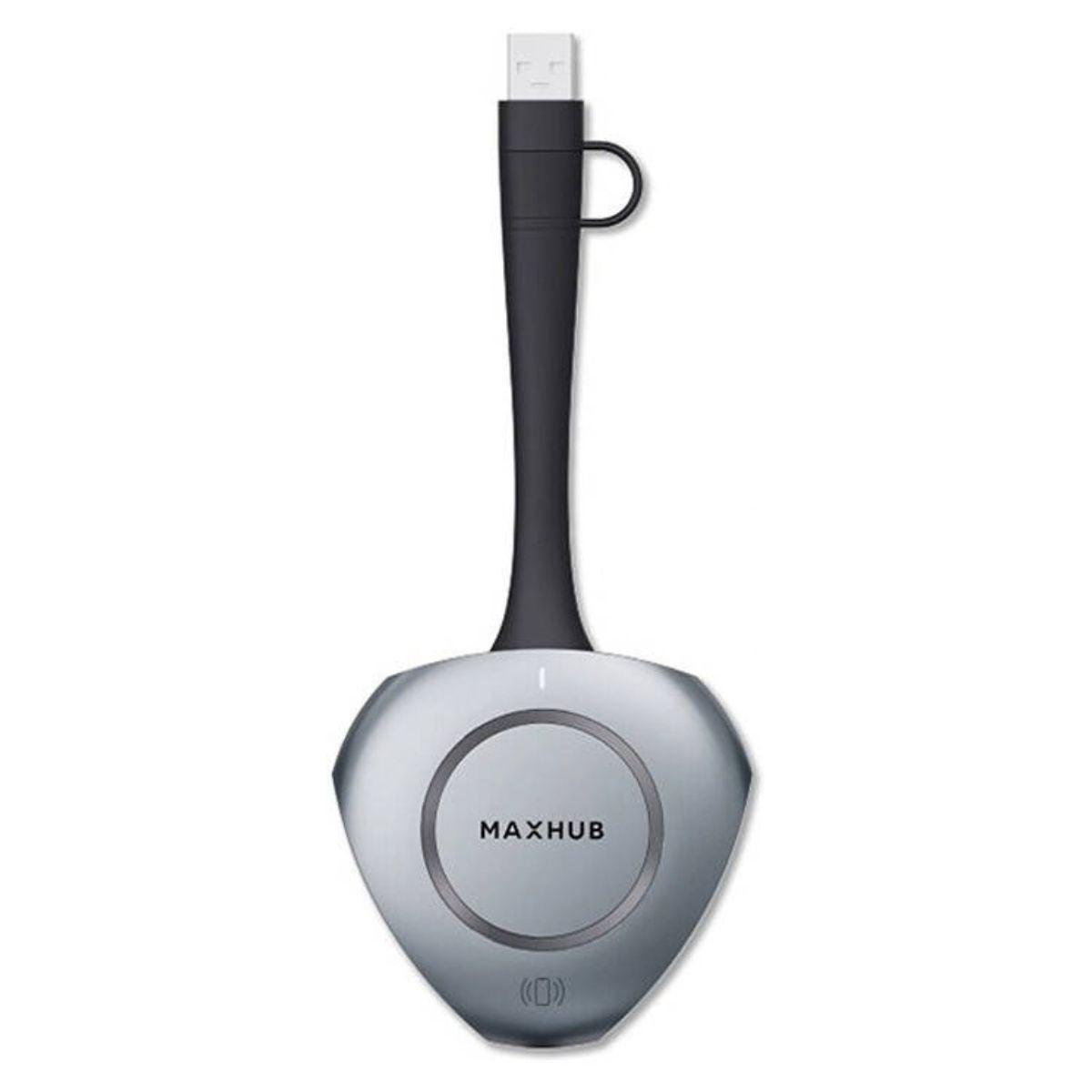
MAXHUB WT13-M Wireless Screen Sharing Dongle | 4K 30Hz | Wi-Fi 6 & Bluetooth 5.2 | NFC & Touch Back | USB-C | WT13M
The MAXHUB WT13-M Wireless Screen Sharing Dongle is a compact 4K wireless BYOM (Bring Your Own Meeting) solution designed for presentations, video conferencing, classrooms, meeting rooms, and collaborative workspaces. It enables users to share content from compatible computers and mobile devices to supported MAXHUB interactive displays without complicated software installation or cable management. With support for resolutions up to 3840 × 2160 at 30Hz, fast pairing, NFC one-touch connection, Touch Back control, and wireless connectivity, the WT13-M provides a convenient way to bring personal devices into MAXHUB collaboration environments. The dongle supports USB Type-C connectivity and can also be used with USB Type-A through the supplied adapter. MAXHUB specifies support for up to 8 connected devices, with up to 4 devices displayed simultaneously in supported configurations.

Key Features
- 4K Wireless Screen Sharing: Supports up to 3840 × 2160 at 30Hz for detailed presentations, documents, images, and video content.
- 5-Second Rapid Pairing: Designed for quick plug-and-play screen sharing with no complicated driver installation.
- BYOM Support: Enables Bring Your Own Meeting functionality with compatible MAXHUB conferencing devices.
- Wi-Fi 6 Connectivity: Uses 802.11a/n/ac/ax wireless connectivity on the 5GHz band.
- Bluetooth 5.2: Provides additional wireless connectivity for compatible applications and devices.
- NFC One-Touch Connection: Tap a compatible mobile device at the NFC area to initiate wireless screen sharing.
- Touch Back Support: Allows supported MAXHUB interactive displays to interact with the shared computer screen.
- Multi-Device Sharing: Supports connections from up to 8 devices and simultaneous display of up to 4 devices in supported configurations.
- USB Type-C Interface: Provides a direct connection to compatible devices with DisplayPort over USB-C support.
- USB Type-A Compatibility: Supports USB Type-A computers using the included Type-A adapter.
- Compact Design: Lightweight 75g construction makes the dongle convenient to carry between meeting rooms and presentation spaces.
Technical Specifications
- Brand: MAXHUB
- Model: WT13-M / WT13M
- Product Type: Wireless Screen Sharing / BYOM Dongle
- Maximum Resolution: Up to 3840 × 2160 @ 30Hz
- Default Resolution: 1920 × 1080 @ 30Hz
- Maximum Connection Distance: Up to 12 meters
- Maximum Startup Time: ≤ 5 seconds
- Cold Start Time: ≤ 12 seconds
- Maximum Disconnect Time: ≤ 1 second
- Transmission Delay: ≤ 120ms
- Wi-Fi: 802.11a/n/ac/ax, 5GHz
- Bluetooth: Version 5.2, 2.4GHz
- NFC Connect: Supported
- Touch Back: Supported
- Interface: 1 × USB Type-C
- USB Type-A: Supported through adapter
- Supported Operating Systems: Windows 10/11 and macOS 10.12 or later
- Compatible BYOM Devices: MAXHUB IFP V6 Series and MAXHUB UC S15
- Buttons: 1
- Power Requirement: 5V @ 500mA
- Power Consumption: 2.5W
- Dimensions: 171.3 × 78.7 × 19.4mm
- Net Weight: 75g
- Operating Temperature: 0°C to 40°C
- Operating Humidity: 10% to 90% RH
- Storage Temperature: -20°C to 60°C
- Storage Humidity: 10% to 90% RH
- Color: Gray
- Part Number: WT13-M / WT13M
The core specifications above are based on MAXHUB's WT13M documentation; Bluetooth 5.2 is confirmed in the WT13M datasheet, while the current MAXHUB product page emphasizes Wi-Fi 6, rapid pairing, NFC, Touch Back, and multi-device sharing.
4K UHD Wireless Screen Sharing
The WT13-M supports wireless screen sharing at up to 3840 × 2160 @ 30Hz, providing significantly more detail than standard Full HD mirroring. This makes it suitable for displaying presentations, spreadsheets, product demonstrations, diagrams, documents, photographs, and other visual content on a compatible MAXHUB display. The default resolution is 1920 × 1080 @ 30Hz, while 4K output is available on supported configurations.
Fast Plug-and-Play Pairing
Designed for meeting environments where setup time matters, the MAXHUB WT13-M provides a maximum startup time of 5 seconds according to MAXHUB specifications. Its driver-free design allows compatible users to connect and begin sharing without installing additional screen-sharing software on the computer.
NFC One-Touch Screen Sharing
The built-in NFC connection feature simplifies mobile screen sharing. On compatible devices and MAXHUB systems, users can tap their mobile device against the designated NFC area to initiate wireless screen sharing. This is particularly useful in meeting rooms where multiple users need to present content quickly without lengthy connection procedures.
Touch Back Interactive Control
With Touch Back support, compatible MAXHUB interactive displays can interact with the shared computer screen. This enables presenters to control or navigate compatible content directly from the interactive display, making presentations, training sessions, brainstorming, and collaborative discussions more interactive.
Wi-Fi 6 and Bluetooth 5.2 Connectivity
The WT13-M uses 802.11a/n/ac/ax wireless connectivity at 5GHz and supports Bluetooth 5.2. The wireless system is designed for reliable screen sharing within a working distance of up to 12 meters under specified conditions. MAXHUB also describes automatic frequency-band selection to help maintain a stable wireless screen-sharing connection in complex environments.
Multi-Device Collaboration
The MAXHUB wireless dongle supports connection of up to 8 devices, with simultaneous display of up to 4 devices in supported configurations. This makes it useful for collaborative meetings where several participants need to share information from their own computers or devices during the same session.
BYOM for Hybrid Meetings
The WT13-M is designed specifically for Bring Your Own Meeting (BYOM) scenarios. Compatible MAXHUB conferencing equipment can work with a user's personal computer, helping simplify hybrid meetings without requiring users to change their preferred computer or meeting workflow. MAXHUB specifically identifies BYOM support as a WT13M feature.
USB-C and USB-A Compatibility
The WT13-M features a USB Type-C interface and supports USB Type-A computers through an adapter. MAXHUB specifies that computers should support USB 2.0 or above, while USB-C devices used for direct video mirroring should support DisplayPort video output over USB-C.
Ideal Applications
- Corporate Meeting Rooms: Wireless presentations and collaborative meetings using MAXHUB interactive displays.
- Conference Rooms: BYOM connectivity for hybrid and in-person meetings.
- Training Rooms: Interactive demonstrations, training materials, and screen sharing.
- Classrooms: Wireless content presentation and interactive teaching.
- Huddle Rooms: Fast device connection for small-group collaboration.
- Boardrooms: Professional presentations without unnecessary cable connections.
- Hybrid Workspaces: Connecting personal laptops to compatible MAXHUB conferencing systems.
- Presentation Areas: Quick wireless sharing for sales presentations, product demonstrations, and workshops.
Benefits
- Faster Meetings: Rapid pairing reduces time spent configuring presentation equipment.
- Wireless Convenience: Reduces the need for conventional display cables during presentations.
- High-Resolution Output: Up to 4K at 30Hz provides detailed visual presentation quality.
- Interactive Collaboration: Touch Back enables supported interactive display control.
- Easy Mobile Sharing: NFC provides a convenient one-touch connection method on supported devices.
- Flexible Device Support: USB-C and USB-A connectivity accommodates different computer interfaces.
- Multi-User Collaboration: Supports multiple connected devices for collaborative presentations.
- Portable Design: Compact 75g construction makes it easy to move between rooms.
- BYOM Capability: Helps integrate personal computers into supported MAXHUB meeting environments.
Why Choose MAXHUB WT13-M
- 4K Wireless Sharing: Supports up to 3840 × 2160 @ 30Hz for high-detail presentations.
- Professional Collaboration: Combines wireless presentation, BYOM, NFC, and Touch Back functionality.
- Fast Connection: Maximum startup time of 5 seconds helps users begin meetings quickly.
- Multi-Device Support: Supports up to 8 connected devices with up to 4 displayed simultaneously in supported configurations.
- Broad Computer Compatibility: Supports Windows 10/11 and macOS 10.12 or later.
- MAXHUB Ecosystem: Designed for integration with compatible MAXHUB interactive and conferencing products.
- Compact Form Factor: Lightweight design is convenient for mobile presenters and shared meeting rooms.
Important Considerations
- Display Compatibility: Touch Back and advanced interactive functions require a compatible MAXHUB interactive display or conferencing system.
- USB-C Video: Devices using USB-C for direct screen mirroring should support DisplayPort video output over USB-C.
- USB Type-A: USB Type-A computers require the appropriate Type-A adapter.
- 4K Output: Actual resolution depends on the connected computer, display, interface, and supported configuration.
- Wireless Range: The specified maximum working distance is up to 12 meters and may vary according to room layout, interference, and environmental conditions.
- BYOM Compatibility: MAXHUB specifies BYOM compatibility with supported MAXHUB devices such as the IFP V6 Series and UC S15; verify compatibility with the specific display or conferencing model before purchase.
- Operating System: Supported computer operating systems include Windows 10/11 and macOS 10.12 or later.
Why Buy from IT Splendid (UAE)
- Enterprise Technology Products: IT Splendid provides interactive displays, wireless presentation solutions, networking equipment, computers, office technology, and business technology products for organizations across the UAE.
- Collaboration Solutions: Choose from technology designed for meeting rooms, classrooms, training spaces, offices, and professional collaboration environments.
- Original Technology Products: IT Splendid offers a wide range of branded IT, electronics, office, and business technology products.
- UAE Delivery: Delivery available across Dubai, Abu Dhabi, Sharjah, Ajman, Ras Al Khaimah, Fujairah, Umm Al Quwain, and other Emirates.
- Complete Technology Range: IT Splendid provides computers, gaming products, office equipment, printers, networking products, electronics, appliances, and technology accessories across the UAE.
The MAXHUB WT13-M Wireless Screen Sharing Dongle provides a practical wireless presentation and BYOM solution for modern meeting rooms, classrooms, training environments, and collaborative workspaces. With 4K 30Hz screen sharing, Wi-Fi connectivity, Bluetooth 5.2, NFC one-touch connection, Touch Back support, rapid pairing, USB-C connectivity, and multi-device collaboration, it is designed to make wireless content sharing more convenient and interactive when used with compatible MAXHUB systems.
Your Question
-

Free Delivery
For all orders over AED 499
-

Cash On Delivery
For All Over Country
-

Express Delivery
Within 24 Hours
-

7 Days Free Returns
If goods have problems


- Choosing a selection results in a full page refresh.
- Opens in a new window.