


MERCUSYS ME30 AC1200 Wi-Fi Range Extender | Dual-Band 1200 Mbps | 2 External Antennas | Fast Ethernet | Access Point Mode
MERCUSYS ME30 AC1200 Wi-Fi Range Extender | Dual-Band 1200 Mbps | 2 External Antennas | Fast Ethernet | Access Point Mode
Key Features:
- AC1200 Dual-Band Wi-Fi
- 2.4 GHz and 5 GHz Connectivity
- Wi-Fi Coverage Extension
- Two External Antennas
- Fast Ethernet Port
- Access Point Mode
- Smart Signal Indicator
- One-Touch WPS Setup
- MERCUSYS App Management
- Adaptive Path Selection
- EasyMesh-Related Compatibility
- Router Compatibility
 115.00
115.00
115.00


MERCUSYS ME30 AC1200 Wi-Fi Range Extender | Dual-Band 1200 Mbps | 2 External Antennas | Fast Ethernet | Access Point Mode
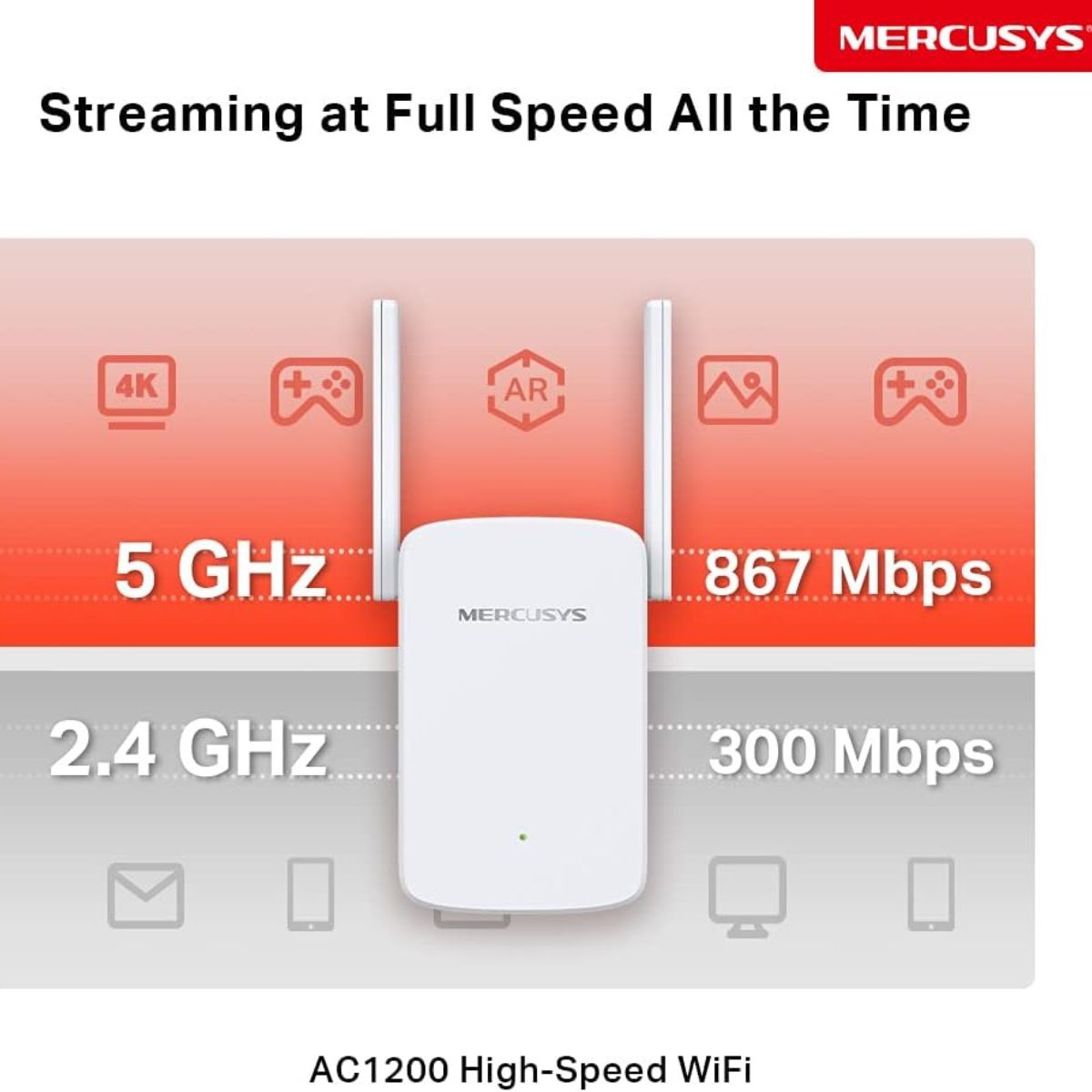
The MERCUSYS ME30 AC1200 Wi-Fi Range Extender is designed to extend an existing wireless network and improve connectivity in areas where the main router's signal is weak. Featuring dual-band Wi-Fi 5 technology, combined theoretical speeds of up to 1,200 Mbps, and two external antennas, it provides a practical solution for homes and small offices that need improved Wi-Fi coverage in additional rooms. Operating on the 2.4 GHz and 5 GHz frequency bands, the ME30 supports theoretical wireless speeds of up to 300 Mbps on 2.4 GHz and 867 Mbps on 5 GHz. This dual-band configuration is suitable for everyday browsing, online communication, video streaming, and connecting compatible wireless devices. Its adjustable external antennas help distribute the extended signal, while the multicolour signal indicator assists with selecting an appropriate installation location. The ME30 also features a Fast Ethernet port, Access Point mode, one-touch WPS setup, and MERCUSYS app management. These features provide flexible installation options for extending an existing Wi-Fi network or creating a wireless access point from a wired connection. The device is designed to work with standard compatible Wi-Fi routers and wireless access points.


Key Features
- AC1200 Dual-Band Wi-Fi: Supports combined theoretical wireless speeds of up to 1,200 Mbps across both frequency bands.
- 2.4 GHz and 5 GHz Connectivity: Provides up to 300 Mbps on 2.4 GHz and 867 Mbps on 5 GHz.
- Wi-Fi Coverage Extension: Helps reduce wireless dead zones and improve connectivity in areas with weak reception.
- Two External Antennas: Adjustable antennas help distribute the wireless signal and support flexible placement.
- Fast Ethernet Port: Includes one 10/100 Mbps RJ45 port for compatible wired devices or an Ethernet connection in Access Point mode.
- Access Point Mode: Creates a dual-band wireless access point using an existing wired network connection.
- Smart Signal Indicator: Uses a multicolour LED to help identify a suitable position for the extender.
- One-Touch WPS Setup: Simplifies the initial connection process with compatible WPS-enabled routers.
- MERCUSYS App Management: Supports setup and network management through the MERCUSYS app on compatible Android and iOS devices.
- Adaptive Path Selection: Helps select an appropriate available wireless route and band according to network conditions.
- EasyMesh-Related Compatibility: Mesh functionality depends on the specific compatible devices, hardware version, firmware, and supported configuration.
- Router Compatibility: Designed to extend Wi-Fi from compatible standard routers and wireless access points.
Technical Specifications
- Brand: MERCUSYS
- Model: ME30
- Product Type: Wi-Fi Range Extender / Wireless Repeater
- Wireless Class: AC1200
- Wi-Fi Generation: Wi-Fi 5
- Wireless Standards: IEEE 802.11a/n/ac on 5 GHz; IEEE 802.11b/g/n on 2.4 GHz
- Frequency Bands: 2.4 GHz and 5 GHz
- Combined Theoretical Wireless Speed: Up to 1,200 Mbps
- 2.4 GHz Speed: Up to 300 Mbps
- 5 GHz Speed: Up to 867 Mbps
- Antennas: 2 external adjustable antennas
- Ethernet Interface: 1 × 10/100 Mbps RJ45 Fast Ethernet port
- Operating Modes: Range Extender, Access Point
- Wireless Security: WPA-PSK and WPA2-PSK, depending on hardware version and firmware
- Setup Button: WPS/Reset
- Signal Indicator: Multicolour LED
- App Management: MERCUSYS app for compatible Android and iOS devices
- Dimensions: 112 × 84.7 × 39 mm
- Power Consumption: 9.2 W
- Operating Temperature: 0°C to 40°C
- Operating Humidity: 10% to 90%, non-condensing
- Certifications: CE and RoHS, depending on regional version
- Plug Type: Confirm the supplied unit; this listing specifies a UK plug
- Package Contents: ME30 Wi-Fi Range Extender and Quick Installation Guide; packaging may vary
AC1200 Dual-Band Wi-Fi for Everyday Connectivity
The ME30 uses Wi-Fi 5 technology to provide dual-band wireless connectivity for everyday home and office networking. Its AC1200 classification represents the combined theoretical speeds of the 2.4 GHz and 5 GHz bands, offering flexibility for different devices and wireless activities.
The 2.4 GHz band is useful for general browsing and compatible connected devices, while the 5 GHz band provides higher theoretical speeds for activities such as streaming and online communication when devices are within a suitable signal range. Actual performance depends on the router, connected devices, interference, distance, and building materials.
Extend Wi-Fi Coverage to More Rooms
The ME30 is designed to help improve wireless coverage in areas where the main router does not provide a strong enough signal. It can be used to extend network access to bedrooms, living rooms, home offices, and other areas that need additional connectivity.
For effective operation, place the extender where it still receives a reasonably strong signal from the main router. An extender installed too far away may repeat a weak connection, limiting the improvement available to connected devices.
Two Adjustable External Antennas
The two external antennas provide flexibility when positioning the ME30. Adjusting their orientation and testing different locations can help improve reception from the router and distribute the extended signal toward the intended coverage area.
For best results, avoid placing the extender behind large obstacles or close to sources of wireless interference. The final coverage area depends on the building layout, router placement, surrounding networks, and connected devices.
Fast Ethernet Port for Wired Connections
The ME30 includes one 10/100 Mbps Fast Ethernet port for compatible wired devices such as desktop computers, smart TVs, and gaming consoles. It can also provide the Ethernet connection needed to operate the device in Access Point mode.
The Ethernet interface supports a maximum link speed of 100 Mbps. This is important when selecting the extender for applications that require higher wired throughput. Actual data transfer rates may be lower depending on the connected equipment and network conditions.
Access Point Mode for Flexible Installation
In addition to range-extender operation, the ME30 supports Access Point mode. Connect the device to an existing network through an Ethernet cable to create a dual-band wireless access point in another area of your home or office.
This setup can be useful when network cabling is available but additional wireless coverage is required. Because the Ethernet port is limited to 100 Mbps, the wired connection's throughput will be constrained by that interface.
Smart Signal Indicator for Easy Placement
The ME30 features a multicolour LED signal indicator to help users determine whether the extender is positioned appropriately in relation to the main router. The indicator helps simplify placement without requiring specialised networking equipment.
Move the extender between the router and the area requiring improved coverage, checking the indicator and testing connectivity at the intended location. A suitable position balances a reliable connection to the router with useful coverage for wireless devices.
One-Touch WPS Setup
The ME30 supports WPS setup with compatible routers. Pressing the WPS button on the router and extender can simplify the initial wireless connection process, reducing the number of manual configuration steps required.
Users can also follow the manufacturer's installation instructions and supported management options. For security, use a strong wireless password and confirm that the router's security configuration is compatible with the extender.
MERCUSYS App Management
The MERCUSYS app supports setup and management of compatible networking products through Android and iOS mobile devices. Depending on the product's firmware and available app functions, users can access supported network settings and manage compatible devices.
Check the hardware version and current firmware requirements before installation to ensure the appropriate app features are available for the supplied unit.
Router Compatibility and Mesh Considerations
The ME30 is designed to work with compatible standard Wi-Fi routers and wireless access points. Its Wi-Fi 5 compatibility makes it suitable for many existing wireless networks, including those using earlier Wi-Fi standards.
Although EasyMesh-related features may be advertised for compatible network configurations, mesh operation depends on the specific supported devices, firmware, and regional hardware version. Verify compatibility with the main router before relying on EasyMesh features or seamless roaming.
Ideal Applications
- Homes and Apartments: Extend Wi-Fi access into rooms with weaker router reception.
- Home Offices: Provide additional wireless coverage for laptops and everyday work.
- Streaming and Entertainment: Extend network access to compatible smart TVs and streaming devices.
- Online Communication: Improve wireless availability for browsing, messaging, and video calls.
- Gaming Areas: Extend network access to compatible gaming devices, subject to available bandwidth.
- Small Offices: Improve wireless availability in additional work areas.
- Ethernet-Based Wi-Fi Expansion: Use Access Point mode where a wired network connection is available.
Benefits
- Helps reduce Wi-Fi dead zones and extend an existing wireless network.
- Provides AC1200 dual-band Wi-Fi 5 connectivity.
- Supports theoretical speeds of up to 300 Mbps on 2.4 GHz and 867 Mbps on 5 GHz.
- Includes two adjustable external antennas.
- Offers Access Point mode for Ethernet-based wireless expansion.
- Includes a Fast Ethernet port for compatible wired devices.
- Uses a multicolour signal indicator to assist with placement.
- Supports one-touch WPS setup and MERCUSYS app management.
- Works with compatible routers and wireless access points.
- Offers a compact wall-mounted design for convenient installation.
Why Choose MERCUSYS ME30?
- Practical Wi-Fi Expansion: Helps extend wireless connectivity to areas with weak reception.
- Dual-Band Flexibility: Offers both 2.4 GHz and 5 GHz wireless bands.
- Simple Setup: WPS and supported app-based management make installation more convenient.
- Flexible Operating Modes: Use it as a range extender or Access Point, depending on your network layout.
- Compact Design: Its wall-mounted form factor helps save space.
- Everyday Connectivity: Suitable for browsing, streaming, online communication, and compatible connected devices.
Compatibility and Important Considerations
- Wi-Fi Speed: AC1200 is the combined theoretical wireless class, not a guaranteed internet speed or single-device throughput.
- Ethernet Limitation: The ME30 has a 10/100 Mbps Ethernet port, not a Gigabit Ethernet port.
- Placement: Install the extender where the main router's signal remains reasonably strong.
- Router Compatibility: Designed for compatible standard Wi-Fi routers and access points; specialised or modified network configurations may require additional checks.
- Mesh Features: Confirm EasyMesh compatibility for the exact hardware version, firmware, and router combination.
- Security: Available security options depend on the hardware version, firmware, and connected router.
- Plug Type: This product title specifies a UK plug. Confirm that the supplied plug is suitable for the intended installation in the UAE.
- Packaging: Packaging may vary without necessarily indicating a change to the product model.
Why Buy from IT Splendid (UAE)?
Shop for the MERCUSYS ME30 AC1200 Wi-Fi Range Extender at IT Splendid, UAE, for your home networking and wireless connectivity needs. IT Splendid offers technology products across networking, computing, electronics, and accessories for home and business use.
- UAE-Based Online Shopping: Convenient access to networking products for customers across the UAE.
- Delivery Options: Free delivery on eligible orders of AED 499 and above, subject to current store terms.
- Flexible Payment Options: Available payment methods may include Tabby and Tamara, subject to eligibility and checkout availability.
- Product Information: Review specifications and compatibility details before purchasing.
- Customer Support: Contact IT Splendid for assistance with product enquiries and orders.
The MERCUSYS ME30 AC1200 Dual-Band Wi-Fi Range Extender is a practical option for extending an existing wireless network with Wi-Fi 5 connectivity, two external antennas, a Fast Ethernet port, Access Point mode, and convenient setup options. It is suited to everyday home and small-office networking where additional wireless coverage is required.
Your Question
-

Free Delivery
For all orders over AED 499
-

Cash On Delivery
For All Over Country
-

Express Delivery
Within 24 Hours
-

7 Days Free Returns
If goods have problems


- Choosing a selection results in a full page refresh.
- Opens in a new window.