


MERCUSYS MW302R N300 Single-Band Wi-Fi 4 Router | 300 Mbps 2.4 GHz | 2× 5 dBi Antennas | Router, Access Point, Repeater & WISP Modes | IPv6 | White
MERCUSYS MW302R N300 Single-Band Wi-Fi 4 Router | 300 Mbps 2.4 GHz | 2× 5 dBi Antennas | Router, Access Point, Repeater & WISP Modes | IPv6 | White
Key Features:
- N300 Wireless Speed
- Wi-Fi 4 Technology
- Two External 5 dBi Antennas
- Four Operating Modes
- Range Extender Mode
- Access Point Mode
- One 10/100 Mbps WAN Port
- Two 10/100 Mbps LAN Ports
- IPv6 Support
- Guest Network
- WPA/WPA2 Security
- Easy App and Web Management
- IPTV Support
 69.00
69.00
69.00
69.00


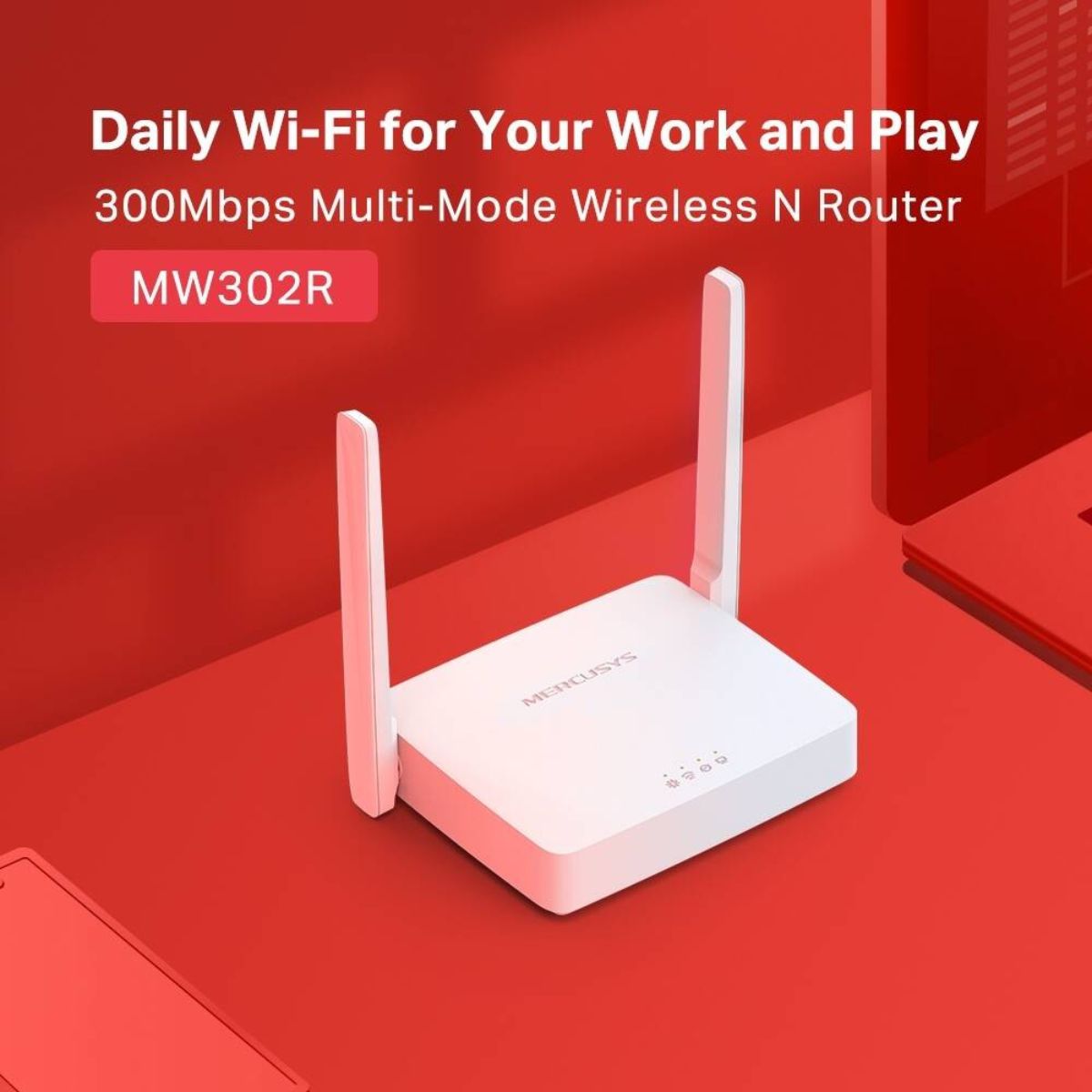
MERCUSYS MW302R N300 Single-Band Wi-Fi 4 Router | 300 Mbps 2.4 GHz | 2× 5 dBi Antennas | Router, Access Point, Repeater & WISP Modes | IPv6 | White
The MERCUSYS MW302R N300 Multi-Mode Wireless Router is designed to provide convenient wireless connectivity for homes, apartments, and small workspaces. Operating on the 2.4 GHz frequency band, it delivers theoretical wireless speeds of up to 300 Mbps, making it suitable for everyday internet activities such as web browsing, email, social media, online learning, and general home networking. Equipped with two external 5 dBi antennas, the MW302R is designed to help distribute wireless signals across suitable indoor environments. Its IEEE 802.11b/g/n compatibility supports a wide range of Wi-Fi-enabled devices, including smartphones, laptops, tablets, and other compatible wireless equipment. A key advantage of the MW302R is its four operating modes: Router, Access Point, Range Extender, and WISP. These modes allow the router to support different network arrangements, from creating a new home Wi-Fi network to extending an existing wireless signal or connecting through a compatible wireless internet service. The router also includes one 10/100 Mbps WAN port, two 10/100 Mbps LAN ports, IPv6 support, guest networking, parental controls, and wireless security features.

Key Features
- N300 Wireless Speed: Supports theoretical wireless speeds of up to 300 Mbps on the 2.4 GHz band.
- Wi-Fi 4 Technology: Uses IEEE 802.11b/g/n wireless standards for compatibility with supported Wi-Fi devices.
- Two External 5 dBi Antennas: Help distribute wireless signals and support coverage across suitable indoor spaces.
- Four Operating Modes: Router, Access Point, Range Extender, and WISP modes provide flexibility for different network requirements.
- Range Extender Mode: Helps extend an existing compatible wireless network into additional areas.
- Access Point Mode: Adds wireless connectivity to an existing wired network.
- WISP Mode: Supports connecting to a compatible wireless internet source.
- One 10/100 Mbps WAN Port: Connects the router to a compatible modem or internet source.
- Two 10/100 Mbps LAN Ports: Connect wired devices such as computers and other Ethernet-enabled equipment.
- IPv6 Support: Supports IPv6 networking for compatible internet services and network configurations.
- Guest Network: Provides a separate 2.4 GHz wireless network for visitors.
- Parental Controls: Supported controls help manage online access, schedules, and website restrictions.
- WPA/WPA2 Security: Provides wireless encryption options to help protect network access.
- Easy App and Web Management: Compatible versions support setup and management through the MERCUSYS app and web interface.
- IPTV Support: Supported firmware includes IPTV-related functions for compatible service configurations.
Technical Specifications
- Brand: MERCUSYS
- Model: MW302R
- Product Type: Multi-Mode Wireless N Router
- Wireless Class: N300
- Wi-Fi Generation: Wi-Fi 4
- Wireless Standards: IEEE 802.11b/g/n
- Frequency Range: 2.4–2.4835 GHz
- Maximum Wireless Speed: Up to 300 Mbps (802.11n, dynamic link rate)
- IEEE 802.11g Speed: Up to 54 Mbps
- IEEE 802.11b Speed: Up to 11 Mbps
- Transmission Power: Less than 20 dBm EIRP
- Antenna Configuration: 2× external 5 dBi antennas
- WAN Interface: 1× 10/100 Mbps Ethernet WAN port
- LAN Interfaces: 2× 10/100 Mbps Ethernet LAN ports
- Operation Modes: Router, Access Point, Range Extender, WISP
- Wireless Security: WPA-PSK/WPA2-PSK, depending on hardware version and firmware
- Wireless Functions: Wireless radio enable/disable, WDS bridging
- WAN Connection Types: Dynamic IP, Static IP, PPPoE, PPTP, L2TP
- DHCP: DHCP Server, DHCP Client List, Address Reservation on supported versions
- Guest Network: 2.4 GHz guest network
- Parental Controls: Profile settings, time control, internet pause, website filtering on supported versions
- Port Forwarding: Virtual Server, UPnP, DMZ
- Network Protocols: IPv4, IPv6
- IPTV: IGMP Proxy, IGMP Snooping, Bridge/Custom, Tag VLAN on supported versions
- Security Features: SPI Firewall, access control, IP and MAC address binding on supported versions
- Management: MERCUSYS app and web interface on compatible versions
- Dimensions: Approximately 114 × 94 × 26 mm
- Button: Reset
- Power Supply: Varies by regional hardware version; MERCUSYS lists 5 V/0.6 A for the documented V1 version
- Installation: Desktop or wall-mounted, depending on hardware version
- Operating Temperature: 0°C to 40°C
- Operating Humidity: 10%–90%, non-condensing
- Package Contents: MW302R router, power adapter, RJ45 Ethernet cable, Quick Installation Guide
N300 Wi-Fi for Everyday Connectivity
The MW302R supports wireless speeds of up to 300 Mbps on the 2.4 GHz band using IEEE 802.11n technology. It is suitable for routine internet use, including web browsing, email, messaging, online study, social media, and other everyday online activities.
The 2.4 GHz frequency band is supported by many wireless devices and can provide useful signal reach in typical indoor environments. Actual performance depends on interference, distance, building materials, network traffic, and the capabilities of connected devices.
Important: The 300 Mbps figure represents the maximum theoretical wireless link rate, not guaranteed internet throughput. The router's 10/100 Mbps WAN and LAN interfaces also limit wired throughput to Fast Ethernet speeds.
Two External 5 dBi Antennas
The MW302R features two external 5 dBi antennas designed to help distribute wireless signals across suitable home and small-office environments. Their configuration supports wireless communication with compatible devices within the effective coverage area.
Actual coverage varies with room layout, wall materials, interference from neighbouring networks, router placement, and connected-device capabilities. For better results, position the router in an open, central location and avoid placing it behind large obstructions.
Four Operating Modes for Flexible Networking
The MERCUSYS MW302R supports four operating modes, allowing it to serve different networking purposes depending on the installation requirements and firmware version.
- Router Mode: Creates a wireless network for connected devices through a compatible internet connection.
- Access Point Mode: Converts an existing wired network connection into Wi-Fi connectivity for wireless devices.
- Range Extender Mode: Helps extend an existing compatible Wi-Fi network into areas with weaker wireless coverage.
- WISP Mode: Connects to a compatible wireless internet service and shares the connection with local devices.
These modes provide flexibility when setting up or adapting a home network. The most suitable mode depends on the available internet source, existing networking equipment, and the desired network arrangement.
Fast Ethernet WAN and LAN Connectivity
The MW302R includes one 10/100 Mbps WAN port and two 10/100 Mbps LAN ports. The WAN interface connects to a compatible modem or internet source, while the LAN ports allow wired devices to join the network.
Compatible wired devices may include desktop computers, network-enabled equipment, and other products with Ethernet connectivity. As the interfaces support Fast Ethernet rather than Gigabit Ethernet, the MW302R is best suited to installations where wired speeds above 100 Mbps are not required.
Guest Network for Visitors
The guest-network feature allows users to provide visitors with a separate 2.4 GHz Wi-Fi connection. This makes it possible to share internet access without giving guests the credentials used for the primary wireless network.
Guest networking can be useful in households and small offices where visitors need temporary access. Available access restrictions and configuration options depend on the installed firmware and hardware revision.
Parental Controls and Wireless Security
Supported versions of the MW302R provide parental-control features to help manage internet access for connected devices. Available functions may include creating profiles, applying time limits, pausing internet access, and restricting selected websites.
The router supports WPA/WPA2 wireless security on documented versions. For improved protection, configure a strong, unique Wi-Fi password and use the strongest security option supported by the router and connected devices.
IPv6 and IPTV Support
The MW302R supports IPv6 on compatible hardware and firmware versions, allowing it to work with internet services and networks that use the IPv6 protocol. Actual connectivity depends on the internet service provider and the network configuration.
Supported firmware versions also provide IPTV-related functions, including IGMP Proxy, IGMP Snooping, bridging, and VLAN configuration options. Customers using IPTV should verify their service provider's requirements before installation.
Easy Setup and MERCUSYS App Management
The MW302R is designed to simplify installation through a web-based configuration interface. Compatible hardware versions also support the MERCUSYS app, which can help users set up and manage the network from an iOS or Android mobile device.
Depending on the hardware version and firmware, management features can include changing the wireless network name and password, viewing connected devices, configuring guest access, managing parental controls, and adjusting other network settings.
Compact Design for Home and Small Office Use
The MW302R features a compact design measuring approximately 114 × 94 × 26 mm. Its small footprint makes it suitable for placement on a desk or shelf, while supported versions can also accommodate wall-mounted installation.
Positioning the router in an open and central location can help distribute the wireless signal more effectively. Avoid placing it close to large obstructions or sources of interference whenever possible.
Ideal Applications
- Homes and Apartments: Provide basic Wi-Fi connectivity for everyday internet activities.
- Small Workspaces: Connect compatible laptops, smartphones, and other wireless devices.
- Online Learning: Support routine connectivity for students using compatible devices.
- Web Browsing and Email: Handle everyday internet browsing and communication.
- Wireless Network Extension: Extend an existing compatible Wi-Fi network using Range Extender Mode.
- Access Point Deployments: Add wireless connectivity to an existing wired network.
- WISP Connectivity: Share a compatible wireless internet connection with local devices.
- Guest Wi-Fi Access: Provide a separate wireless network for visitors.
- Basic IPTV Setups: Support compatible IPTV configurations where the required firmware and service-provider settings are available.
Benefits
- Everyday N300 Wi-Fi: Provides up to 300 Mbps theoretical wireless link speed on 2.4 GHz.
- Two External Antennas: Designed to help distribute wireless signals throughout suitable indoor spaces.
- Four Operating Modes: Supports different networking configurations for home and small-office requirements.
- Flexible Deployment: Can operate as a router, access point, range extender, or WISP client on supported versions.
- Wired Connectivity: Provides one WAN port and two LAN ports for compatible Ethernet devices.
- Guest Network: Makes it easier to provide separate Wi-Fi access for visitors.
- Parental Controls: Offers supported options for managing online access and usage schedules.
- IPv6 Compatibility: Supports IPv6 connectivity on compatible versions.
- Convenient Management: Offers web-based administration and app management on supported hardware.
- Compact Design: Fits conveniently into home and small-office environments.
Why Choose MERCUSYS MW302R?
- Practical N300 Router: Designed for everyday internet access and basic home networking.
- Wi-Fi 4 Compatibility: Supports IEEE 802.11b/g/n devices on the 2.4 GHz band.
- Four Useful Operating Modes: Supports Router, Access Point, Range Extender, and WISP operation.
- External 5 dBi Antennas: Helps distribute wireless signals across suitable indoor spaces.
- Useful Network Controls: Includes guest networking, parental controls, and supported security options.
- IPv6 Support: Works with compatible IPv6 internet services and network configurations.
- Flexible Installation: Suitable for basic wired-to-wireless access point deployments and compatible wireless extension setups.
Compatibility and Important Considerations
- Single-Band Wi-Fi: The MW302R operates on the 2.4 GHz band and does not provide a 5 GHz wireless network.
- Wi-Fi Generation: This is a Wi-Fi 4 (802.11n) router, not a Wi-Fi 5 or Wi-Fi 6 router.
- Ethernet Speed: The WAN and LAN ports support 10/100 Mbps Fast Ethernet, not Gigabit Ethernet.
- Broadband Throughput: Wired internet throughput may be limited by the 100 Mbps Ethernet interfaces and other network conditions.
- Hardware Versions: Operating modes, app management, IPTV functions, parental controls, power requirements, and other features can vary by hardware revision and firmware.
- Wireless Coverage: Actual range depends on building materials, interference, router placement, and client-device capabilities.
- Range Extender and WISP Setup: These modes require a compatible wireless source and appropriate configuration.
- Power Adapter: Confirm that the supplied power adapter matches the regional hardware version.
- Package Contents: The documented package includes the MW302R router, power adapter, RJ45 Ethernet cable, and Quick Installation Guide.
Why Buy from IT Splendid (UAE)
IT Splendid offers networking equipment and technology products for customers across the UAE. The MERCUSYS MW302R is an option for users seeking a straightforward wireless router for basic home connectivity, guest Wi-Fi, and flexible network configurations.
- UAE-Focused Shopping: Shop networking products and technology solutions through IT Splendid.
- Delivery Across the UAE: Convenient delivery options for customers throughout the UAE.
- Secure Payment Options: Choose from the payment methods available at checkout.
- Product Information: Review specifications and compatibility details before purchasing.
- Customer Support: Contact IT Splendid for assistance with product enquiries and ordering.
The MERCUSYS MW302R N300 Single-Band Wi-Fi 4 Router combines 300 Mbps 2.4 GHz wireless connectivity, two external 5 dBi antennas, one Fast Ethernet WAN port, two Fast Ethernet LAN ports, IPv6 support, and four operating modes. It is a practical option for basic home and small-office networking where single-band Wi-Fi and 10/100 Mbps Ethernet connectivity meet the requirements.
Your Question
-

Free Delivery
For all orders over AED 499
-

Cash On Delivery
For All Over Country
-

Express Delivery
Within 24 Hours
-

7 Days Free Returns
If goods have problems


- Choosing a selection results in a full page refresh.
- Opens in a new window.