


Dell Pro 24 E2426H Monitor, 23.8″ Full HD IPS Display, 120Hz Refresh Rate, 5ms GtG Response Time (Fast), 16.7 Million Colours, 72% NTSC, HDMI and DisplayPort with HDCP 1.4, VGA, Black | E2426H
Dell Pro 24 E2426H Monitor, 23.8″ Full HD IPS Display, 120Hz Refresh Rate, 5ms GtG Response Time (Fast), 16.7 Million Colours, 72% NTSC, HDMI and DisplayPort with HDCP 1.4, VGA, Black | E2426H
الميزات الرئيسية:
- 23.8″ Full HD IPS Display
- 120Hz Refresh Rate
- 5ms GtG Fast Mode
- 16.7 Million Colours
- Anti-Glare and Eye Comfort
- Three Video Inputs
- Tilt-Adjustable Stand
 370.00


Dell Pro 24 E2426H Monitor, 23.8″ Full HD IPS Display, 120Hz Refresh Rate, 5ms GtG Response Time (Fast), 16.7 Million Colours, 72% NTSC, HDMI and DisplayPort with HDCP 1.4, VGA, Black | E2426H
The Dell Pro 24 E2426H combines a 23.8-inch Full HD IPS screen with a refresh rate of up to 120Hz for smooth scrolling through documents, spreadsheets, and web pages. HDMI and DisplayPort both support 1920 × 1080 at 120Hz, while VGA lets an older desktop use the same screen at up to 60Hz. The anti-glare surface helps soften reflections from office lighting, and the wide viewing angles make it easier to review a presentation with someone seated beside you.

Key Features
- 23.8″ Full HD IPS Display: The 16:9 screen shows documents, video calls, and presentations at a native resolution of 1920 × 1080.
- 120Hz Refresh Rate: Both digital inputs support the full refresh rate, giving you a choice of HDMI or DisplayPort for smoother pointer movement and scrolling.
- 5ms GtG Fast Mode: Select Fast mode for a 5ms grey-to-grey response time. The standard response time is 8ms.
- 16.7 Million Colours: The IPS panel covers 72% of the NTSC colour gamut, with 178° horizontal and vertical viewing angles.
- Anti-Glare and Eye Comfort: A matte screen, flicker-free operation, and low blue light technology complement the monitor’s TÜV Rheinland 3-star eye comfort certification.
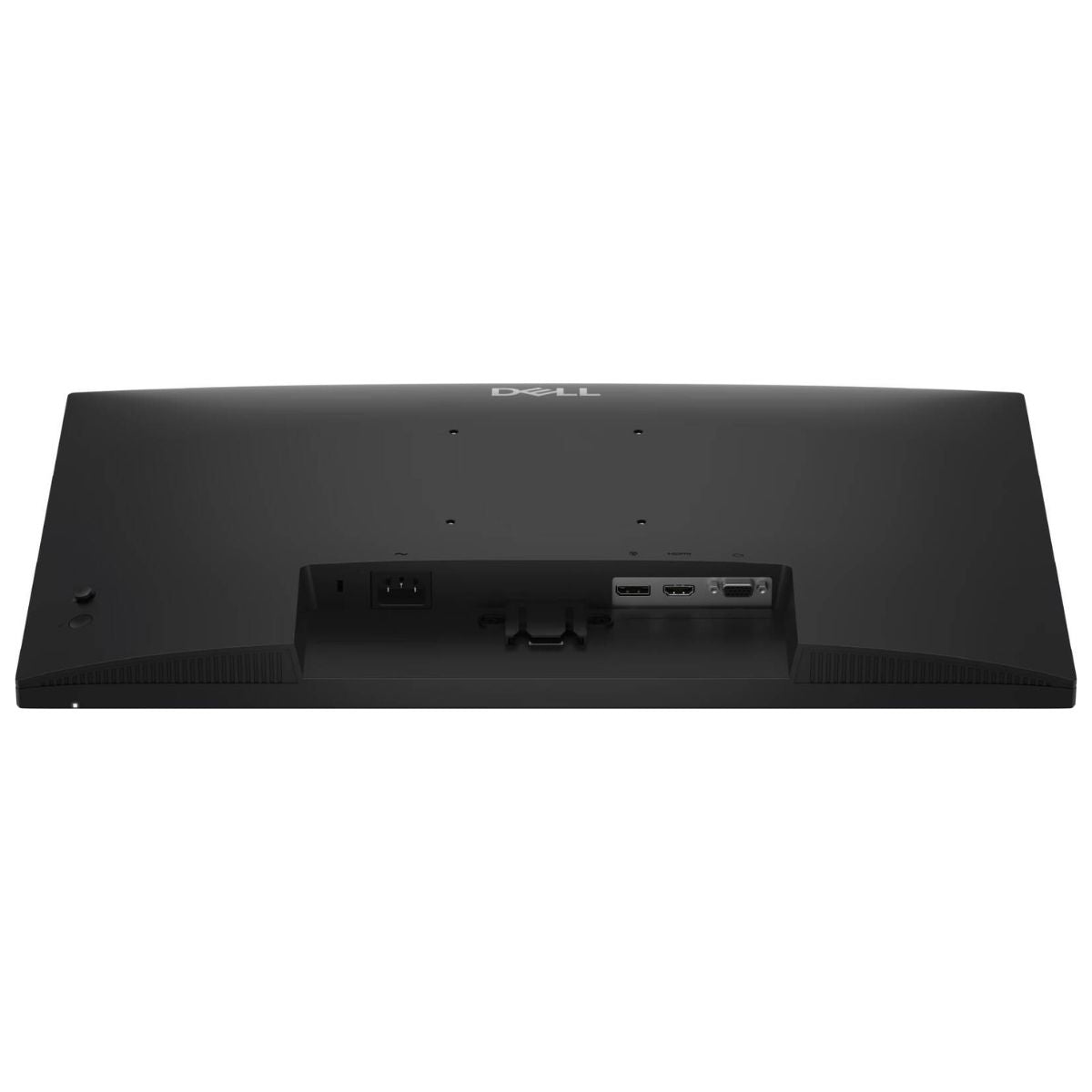
- Three Video Inputs: Connect current computers through HDMI or DisplayPort and retain VGA for older office equipment.
- Tilt-Adjustable Stand: Angle the screen from −5° to +21° to suit your seated position and the lighting at your desk.
Technical Specifications (At a Glance)
- Brand and Model: Dell Pro 24 E2426H
- Manufacturer Part Number: T7H3N
- Colour: Black
- Screen Size: 24-inch class, 23.8-inch viewable diagonal
- Panel: Flat IPS with anti-glare coating and 3H surface hardness
- Native Resolution: Full HD, 1920 × 1080 pixels
- Aspect Ratio: 16:9
- Maximum Refresh Rate: 120Hz over HDMI or DisplayPort, 60Hz over VGA at Full HD
- Response Time: 5ms GtG in Fast mode, 8ms GtG in standard mode
- Brightness and Contrast: 300 nits and 1000:1 native contrast
- Colour Support: 16.7 million colours using 6-bit + FRC
- Colour Gamut: 72% NTSC (CIE 1931)
- Viewing Angles: 178° horizontal and 178° vertical
- Video Inputs: 1 × HDMI 1.4, 1 × DisplayPort 1.4, and 1 × VGA
- Content Protection: HDCP 1.4 on HDMI and DisplayPort
- Stand Adjustment: Tilt from −5° to +21°, fixed height
- Dimensions with Stand: Approximately 53.9cm wide × 41.2cm high × 17.1cm deep
- Weight: Approximately 3.2kg with stand and cables
Full HD Workspace and IPS Viewing Angles
The 23.8-inch panel gives a spreadsheet, browser, or presentation a dedicated workspace without requiring a large desk. On a laptop setup, you can keep the document you are presenting on the Dell screen and leave your meeting controls on the laptop. The IPS panel’s wide viewing angles also help when a colleague pulls up a chair to review the same document.
120Hz Scrolling and 5ms Fast Mode
At 120Hz, the display can update twice as often as it does at 60Hz. The difference is most noticeable when moving a window or scrolling through a long page. Connect through HDMI or DisplayPort and select 1920 × 1080 at 120Hz in your computer’s display settings. The separate Fast response setting controls how quickly pixels transition between shades.
HDMI, DisplayPort and VGA Connectivity
A mixed-generation workstation can use all three inputs. For example, connect a new desktop through DisplayPort, a laptop dock through HDMI, and an older PC through VGA. Both digital inputs support HDCP 1.4 for compatible protected content. For a USB-C-only laptop, use a video-capable USB-C port with a compatible HDMI or DisplayPort adapter or dock.
Anti-Glare Finish and Eye Comfort
The anti-glare coating is useful at desks near windows or overhead lights, where sharp reflections can distract from text. Adjust the tilt to move a reflection out of your line of sight, then set the brightness to suit the room. The E2426H also includes flicker-free operation and low blue light technology for everyday screen use.
Stand Size and Desk Fit
The monitor is approximately 53.9cm wide, while the supplied stand occupies about 22.2cm of width and 17.1cm of depth. These measurements help when planning space for a keyboard or placing two screens side by side. The stand provides tilt adjustment at a fixed height. A compatible VESA arm offers another placement option if you need height adjustment.
Ideal For
- Office Desktops: Work with documents, browser applications, and presentations on a 120Hz Full HD screen.
- Laptop Workstations: Add a dedicated display through a compatible HDMI output or DisplayPort dock.
- Shared Desks: Use the wide viewing angles for side-by-side document reviews.
- Mixed-Generation IT Setups: Keep VGA available for older machines while using digital inputs for newer systems.
Benefits of Dell Pro 24 E2426H
- Use either digital input for the monitor’s full 120Hz refresh rate.
- Keep a legacy VGA computer connected alongside a newer workstation.
- Plan a compact desk layout using the stand’s 17.1cm depth.
- Choose the standard or Fast pixel response setting to suit the content on screen.
Important Product Information
- E2426H is the model identifier. Dell lists T7H3N as the manufacturer part number.
- Dell’s “Pro 24” name refers to the screen size class. The viewable diagonal measures 23.8 inches.
- At 1920 × 1080, VGA supports up to 60Hz. For 120Hz, use a compatible HDMI or DisplayPort connection.
- The monitor has no built-in speakers or USB hub. Connect headphones, speakers, and USB peripherals to your computer or dock.
Why Choose Dell Pro 24 E2426H?
The Dell Pro 24 E2426H suits a desk where an older computer and a newer laptop need to share one screen. Its combination of VGA and two 120Hz digital inputs lets you keep existing equipment in use while getting smoother scrolling from a modern workstation.
Why Buy from IT Splendid UAE?
At IT Splendid UAE, explore office monitors, display cables, docks, and mounting accessories for business and home workstations.
- Office Monitor Selection: Compare screen size, refresh rate, and stand adjustments for your desk.
- Connection Matching: Choose a cable or dock that supports your computer’s output and intended refresh rate.
- Convenient Online Shopping: Use model identifier E2426H to select the black Dell Pro 24 configuration.
- UAE Delivery: Explore delivery options across Dubai, Abu Dhabi, Sharjah, Ajman, Ras Al Khaimah, Fujairah, and Umm Al Quwain, subject to availability.
Complete Your Workspace with the Dell Pro 24 E2426H
Shop the Dell Pro 24 E2426H 23.8″ Full HD IPS Monitor at IT Splendid UAE for a compact office display with 120Hz digital connectivity, an anti-glare screen, and support for older VGA systems.
Your Question
-

توصيل مجاني
لجميع الطلبات التي تزيد عن 499 درهمًا إماراتيًا
-

الدفع عند الاستلام
لجميع أنحاء البلاد
-

التوصيل السريع
خلال 24 ساعة
-

إرجاع مجاني لمدة 14 يومًا
إذا كانت البضائع بها مشاكل


- يؤدي اختيار التحديد إلى تحديث الصفحة بالكامل.
- يفتح في نافذة جديدة.