


Dell Pro P2726H 27-Inch Full HD IPS Monitor, 120Hz Refresh Rate, 5ms GtG Fast Response, Low Blue Light, USB Hub, Adjustable Stand, Dark Gray – UAE | 210-BVKP
Dell Pro P2726H 27-Inch Full HD IPS Monitor, 120Hz Refresh Rate, 5ms GtG Fast Response, Low Blue Light, USB Hub, Adjustable Stand, Dark Gray – UAE | 210-BVKP
الميزات الرئيسية:
- 27-Inch Widescreen Display
- Full HD Resolution
- IPS Panel Technology
- 120Hz Refresh Rate
- 5ms GtG Fast Mode
- 300-Nit Brightness
- 99% sRGB and 99% BT.709 Coverage
- Hardware Low Blue Light
 750.00


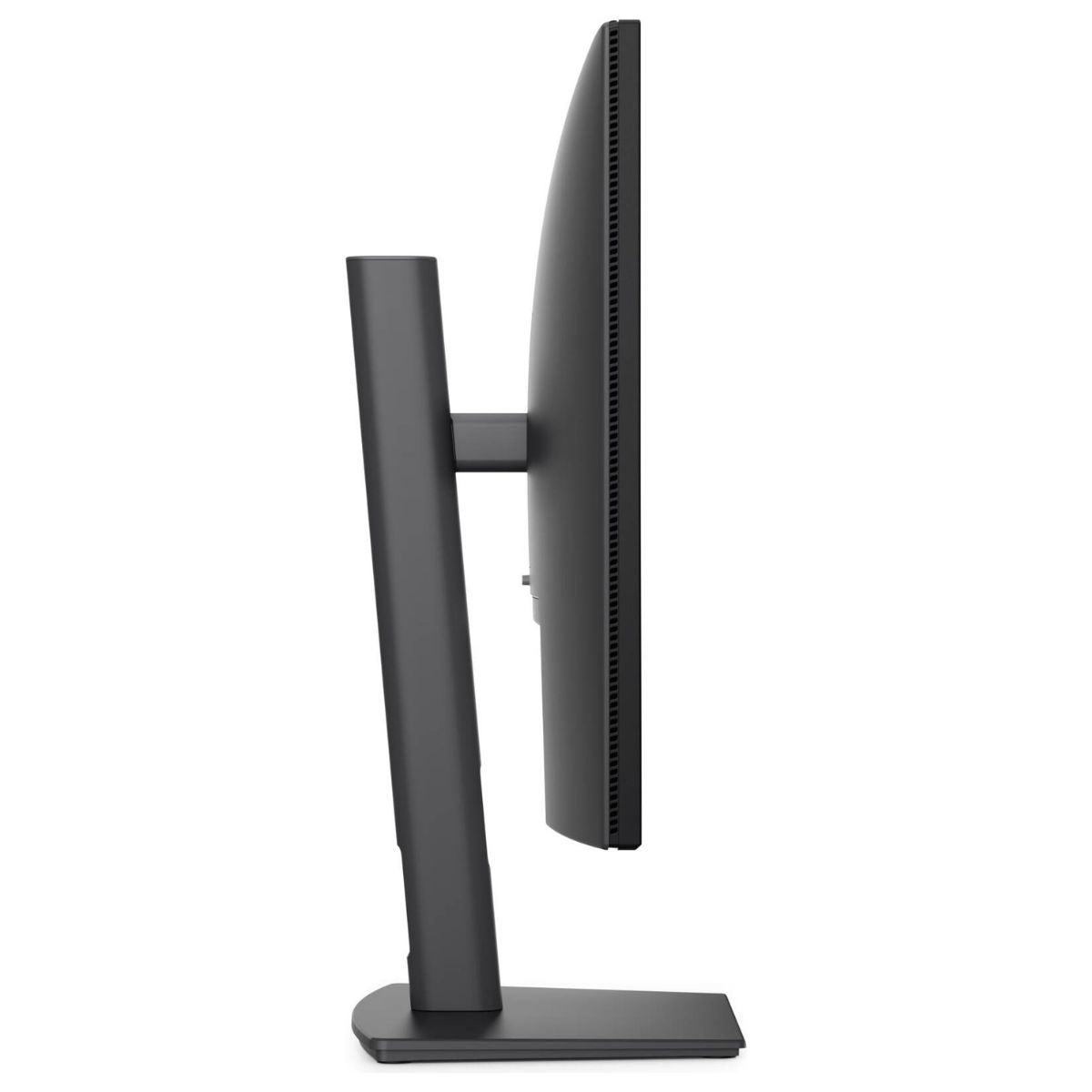
Dell Pro P2726H 27-Inch Full HD IPS Monitor, 120Hz Refresh Rate, 5ms GtG Fast Response, Low Blue Light, USB Hub, Adjustable Stand, Dark Gray – UAE | 210-BVKP
The Dell Pro P2726H 27-Inch Full HD IPS Monitor (210-BVKP) is a widescreen desktop monitor designed for offices, home workstations, and shared business environments. Its 27-inch IPS panel combines a 1920 × 1080 resolution with wide viewing angles, giving users room to compare documents, review spreadsheets, and share presentations with a colleague seated beside them. Featuring a 120Hz refresh rate and 5ms gray-to-gray response in Fast mode, the Dell P2726H delivers smoother movement when scrolling through reports, navigating dashboards, or moving windows across the desktop. Hardware low blue light technology, a flicker-free display, and an anti-glare finish support comfortable viewing throughout the working day. An adjustable stand lets users raise, tilt, swivel, or pivot the display, while HDMI, DisplayPort, and a built-in USB hub provide convenient connections for computers and desktop accessories.


Key Features
- 27-Inch Widescreen Display: Provides a spacious viewing area for business applications, documents, presentations, and everyday desktop use.
- Full HD Resolution: Displays 1920 × 1080 pixels in a familiar 16:9 widescreen format.
- IPS Panel Technology: Maintains consistent color across wide viewing angles when sharing the screen.
- 120Hz Refresh Rate: Supports smoother scrolling and pointer movement with a compatible computer.
- 5ms GtG Fast Mode: Offers a faster pixel response setting for moving content.
- 1,500:1 Native Contrast: Helps distinguish light and dark elements in images, charts, and application interfaces.
- 300-Nit Brightness: Provides adjustable screen brightness for indoor workspaces.
- 99% sRGB and 99% BT.709 Coverage: Supports common color spaces used for web graphics, presentations, and video.
- Hardware Low Blue Light: Reduces blue light output during everyday viewing.
- Flicker-Free Display: Incorporates flicker-free technology for extended desktop use.
- Anti-Glare Surface: Helps soften reflections from overhead lighting and nearby windows.
- HDMI and DisplayPort Inputs: Connects to compatible desktops, laptops, and docking stations.
- Built-In USB Hub: Connects multiple accessories to the computer through the monitor.
- Quick-Access USB-C Ports: Two downstream USB-C ports along the lower bezel provide convenient access for compatible devices.
- Up to 15W USB-C Charging: Supplies power to supported accessories and mobile devices.
- Height-Adjustable Stand: Offers 150mm of vertical travel for different seating positions.
- Tilt and Swivel Adjustment: Changes the screen angle without moving the entire workstation.
- Portrait Pivot: Rotates the display up to 90° in either direction for reading, coding, and document review.
- VESA Mount Compatibility: Supports compatible 100 × 100mm monitor arms and mounting brackets.
- Slim Top and Side Bezels: Keep the gap between adjacent screens small in a dual-monitor arrangement.
Technical Specifications (At a Glance)
- Brand: Dell
- Product Series: Dell Pro P
- Model Number: P2726H
- Manufacturer Part Number: 210-BVKP
- Product Type: Flat-panel desktop monitor with USB hub and adjustable stand
- Screen Size: 27 inches
- Panel Technology: In-Plane Switching (IPS)
- Native Resolution: 1920 × 1080 pixels (Full HD)
- Aspect Ratio: 16:9
- Maximum Preset: 1920 × 1080 at 120Hz
- Response Time: 5ms GtG in Fast mode, 8ms GtG in Normal mode
- Typical Brightness: 300 cd/m²
- Native Contrast Ratio: 1,500:1
- Color Support: 16.7 million colors
- Color Gamut: 99% sRGB and 99% BT.709
- Viewing Angles: 178° horizontal and 178° vertical
- Pixel Density: 82 pixels per inch
- Screen Surface: Anti-glare with 3H hardness
- Eye Comfort Features: Hardware low blue light and flicker-free operation
- Video Inputs: 1 × HDMI 1.4 and 1 × DisplayPort 1.4
- USB Upstream: 1 × USB Type-B, 5Gbps
- USB Downstream: 2 × USB Type-A and 2 × USB Type-C, 5Gbps
- USB-C Charging: Up to 15W for compatible connected devices
- Stand Adjustment: 150mm height, −5° to +21° tilt, ±45° swivel, and ±90° pivot
- VESA Mounting Pattern: 100 × 100mm
- Dimensions with Stand: 610.69mm wide × 192.28mm deep × 384.56–534.56mm high
- Weight with Stand and Cables: Approximately 6.06kg
- Power Input: 100–240V AC, 50/60Hz
- Color: Dark Gray
- Listed Cables: Power cable, 1.8m DisplayPort cable, and 1.8m USB Type-A to Type-B upstream cable
Spacious 27-Inch Full HD Display
The Dell Pro P2726H provides a 27-inch workspace for documents, browser windows, and business software. Its 16:9 layout is useful when a task involves two windows, such as entering figures into a spreadsheet while referring to an invoice.
The native Full HD resolution also matches common 1080p training videos and presentations. Setting the connected computer to 1920 × 1080 uses the panel’s full pixel grid.
Smooth 120Hz Refresh Rate and 5ms Fast Response
The Dell P2726H supports Full HD at up to 120Hz through HDMI or DisplayPort. The higher refresh rate is particularly noticeable when scrolling through transaction lists, moving the pointer between columns, or dragging windows across the screen.
Refresh rate and response time describe different parts of display performance. The 120Hz setting controls how often the image refreshes, while the 5ms gray-to-gray specification describes pixel transitions in Fast mode. Dell specifies 8ms GtG in Normal mode.
IPS Color and Wide Viewing Angles
The IPS panel offers 178° horizontal and vertical viewing angles. This is useful at reception counters, meeting desks, and shared workstations where more than one person may need to see the same information.
Coverage of 99% sRGB and 99% BT.709 makes the screen suitable for reviewing web content, preparing presentation graphics, and viewing standard video material. The 1,500:1 native contrast ratio helps separate darker chart elements from light backgrounds.
Low Blue Light and Anti-Glare Viewing
The Dell Pro P2726H Monitor combines hardware low blue light technology with flicker-free operation. Dell lists the model with TÜV Rheinland 4-star eye comfort certification.
The anti-glare surface is especially useful when office lights or windows reflect on the screen. Users can also adjust brightness and tilt to suit the lighting at their desk.
HDMI and DisplayPort Connectivity
The P2726H includes one HDMI input and one DisplayPort 1.4 input. A desktop can connect through DisplayPort while a compatible laptop dock uses HDMI, allowing both video cables to remain in place.
For 120Hz operation, select 1920 × 1080 at 120Hz in the computer’s display settings. If a dock or adapter sits between the computer and monitor, it must also support that display mode.
Built-In USB Hub with Quick-Access USB-C Ports
Connecting the monitor’s USB Type-B upstream port to the computer activates the USB data connection. A keyboard and mouse can stay connected to the rear Type-A ports, leaving the lower USB-C ports within reach for devices that are connected and removed more often.
The two downstream USB-C ports support data transfer up to 5Gbps and charging up to 15W for compatible devices. Video from the computer reaches the monitor through HDMI or DisplayPort.
Adjustable Stand for Landscape and Portrait Use
The included stand offers 150mm of height adjustment along with tilt, swivel, and pivot controls. At a shared desk, users can change the screen height or turn it toward a colleague without shifting the base.
For wide spreadsheets, keep the monitor in landscape orientation. For a contract, long webpage, or source-code file, rotate the panel into portrait orientation and select the matching orientation in the operating system.
VESA Mounting and Desktop Planning
The monitor supports a 100 × 100mm VESA mounting pattern for use with a compatible monitor arm or bracket. An arm can free space under the screen for a notebook, docking station, or keyboard.
For installation with the supplied stand, allow approximately 611mm of desk width and 192mm of depth. At full extension, the monitor reaches approximately 535mm high, a useful measurement for desks beneath shelves or cabinets.
Included Cables for Workstation Setup
The UAE configuration lists a power cable, a 1.8m DisplayPort cable, and a 1.8m USB Type-A to Type-B cable. With a desktop that has DisplayPort and USB-A, these connections cover both the picture and the monitor’s USB hub.
For a laptop with HDMI output, use a compatible HDMI cable. For a USB-C-only laptop, select a dock or video adapter that supports Full HD at the intended refresh rate.
Ideal For
- Office Workstations: Manage email, reports, browser applications, and presentations on a 27-inch display.
- Finance and Accounts Teams: Compare invoices, follow spreadsheet rows, and review transaction records.
- Home Offices: Pair a laptop or desktop with an adjustable external screen and accessible USB ports.
- Shared Desks: Reposition the screen for users with different seating heights.
- Reception Counters: Swivel the monitor to share booking details or on-screen forms.
- Document Review: Use portrait orientation for contracts, manuals, and multipage reports.
- Software Development: View longer sections of code or documentation in portrait mode.
- Training and Education: Display Full HD course material and share content with a nearby viewer.
- Dual-Monitor Desks: Position two displays side by side for reference and active work.
- Monitor Arm Installations: Mount the display on a compatible VESA arm to reclaim desk space.
Benefits of Dell Pro P2726H 27-Inch Full HD Monitor
- Provides a large viewing area for everyday business applications.
- Makes scrolling and window movement smoother at 120Hz.
- Maintains consistent color when viewing the screen from the side.
- Reduces distracting reflections with an anti-glare finish.
- Supports both portrait document review and landscape spreadsheet work.
- Allows users to set a comfortable screen height without a separate riser.
- Keeps frequently used USB-C connections within reach.
- Connects to compatible computers through either HDMI or DisplayPort.
- Accommodates a desk stand or a compatible VESA mounting arm.
Important Product Information
- The maximum native display mode is 1920 × 1080 at 120Hz.
- The advertised 5ms response time applies to Fast mode. Normal mode is rated at 8ms GtG.
- The computer, video cable, and any intermediate adapter or dock must support the selected resolution and refresh rate.
- The two USB-C ports are downstream connections for accessories and charging. Use HDMI or DisplayPort for video input.
- Connect the USB-B upstream cable to the host computer to use devices attached to the monitor’s USB hub.
- USB-C charging is rated up to 15W. Check the power requirement of the connected device.
- For monitor-arm installation, check the arm’s load rating and 100 × 100mm VESA compatibility.
- Confirm the package contents and applicable Dell service coverage for part number 210-BVKP when ordering.
Why Choose Dell Pro P2726H 210-BVKP?
The Dell Pro P2726H 27-Inch Full HD IPS Monitor suits work that moves between spreadsheets, shared presentations, and detailed document review. Its 120Hz refresh rate improves the feel of daily navigation, while the adjustable stand lets users switch from a wide spreadsheet view to a tall reading view.
HDMI and DisplayPort accommodate different workstation configurations, and the built-in USB hub keeps a keyboard, mouse, and frequently used accessories connected at the desk. These features make the P2726H a practical choice for both individual and shared workspaces.
Why Buy from IT Splendid UAE?
At IT Splendid UAE, we offer monitors, laptops, desktop computers, networking equipment, office electronics, and professional IT accessories for home and business workstations.
- Wide Monitor Selection: Explore desktop displays and accessories for office, home, and professional use.
- Competitive Pricing: Compare monitor configurations for different workspace requirements and budgets.
- Convenient Online Shopping: Browse monitors, display cables, docking stations, and computer accessories online.
- UAE Delivery: Delivery options across Dubai, Abu Dhabi, Sharjah, Ajman, Ras Al Khaimah, Fujairah, and Umm Al Quwain, subject to availability.
- Professional IT Solutions: Find compatible equipment for individual desks, shared offices, and business installations.
Upgrade Your Workspace with the Dell Pro P2726H 27-Inch Monitor
Equip your desk with the Dell Pro P2726H 27-Inch Full HD IPS Monitor – 210-BVKP. With 120Hz scrolling, low blue light technology, an adjustable stand, and quick-access USB-C ports, the P2726H brings everyday viewing and desktop connectivity together. Order from IT Splendid UAE for your home office or business workstation.
Your Question
-

توصيل مجاني
لجميع الطلبات التي تزيد عن 499 درهمًا إماراتيًا
-

الدفع عند الاستلام
لجميع أنحاء البلاد
-

التوصيل السريع
خلال 24 ساعة
-

إرجاع مجاني لمدة 14 يومًا
إذا كانت البضائع بها مشاكل


- يؤدي اختيار التحديد إلى تحديث الصفحة بالكامل.
- يفتح في نافذة جديدة.